Screenshots
That recipe. That receipt. That thing you meant to come back to.
Maru helps tidy up screenshots, videos, Live Photos, and similar photos — so your library feels lighter.
Made for your iPhone. And your next memory.
 A tidier library.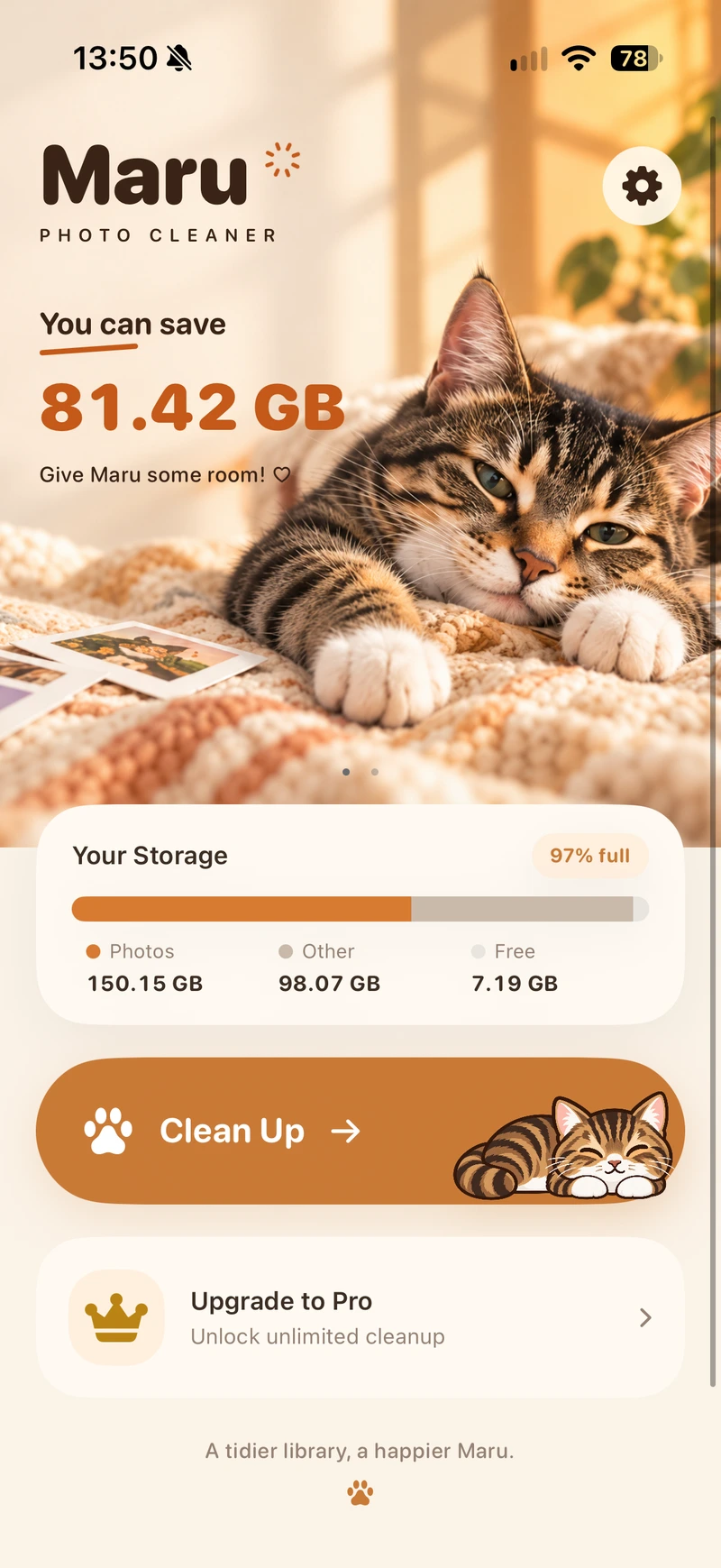
The tiny things you save add up.
Make space without losing the moments that matter.
That recipe. That receipt. That thing you meant to come back to.
Big moments can come with even bigger files.
A little motion in every shot. A little extra space, too.
 your little library companion
A little cat with a simple mission:
help make room for what’s next.
Maru lives in your photo library, helping you find the clutter between the memories. A gentle nudge to tidy up, one small decision at a time.
Convert selected screenshots to smaller JPEG files. Review the result and choose whether to remove the originals.
SCREENSHOT COMPRESSIONConvert 4K videos to 1080p when a smaller file suits the moment. Review before replacing originals.
VIDEO OPTIMIZATIONTurn selected Live Photos into still images when the photo is all you want to keep.
LIVE PHOTO OPTIMIZATIONReview similar photos side by side. Keep the shots you love and decide which extras can go.
SIMILAR PHOTOSAI Smart Cleanup and Find Blurry are not listed as available features.
See where your library could use a little tidying.
Choose what stays. Take your time with what goes.
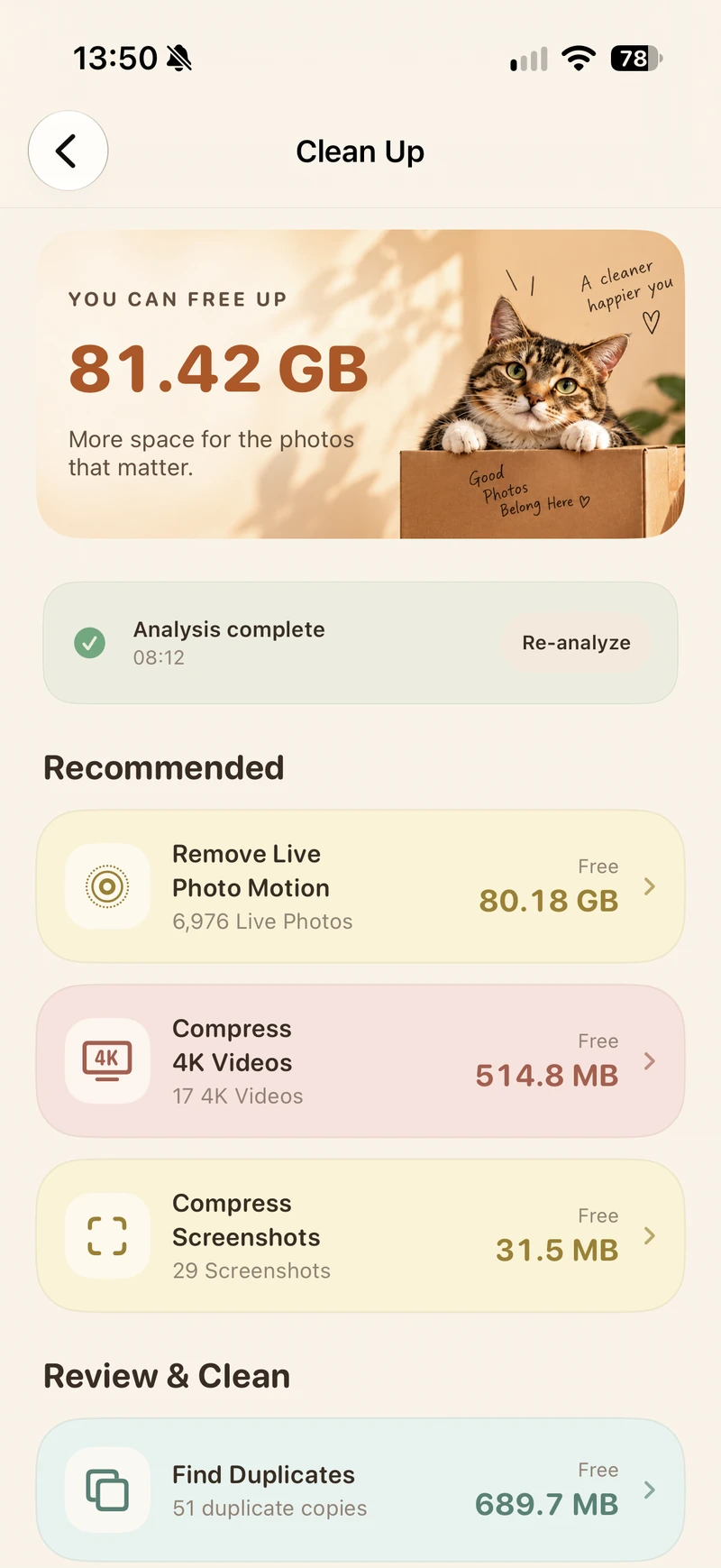
Confirm your choices and make room for what’s next.
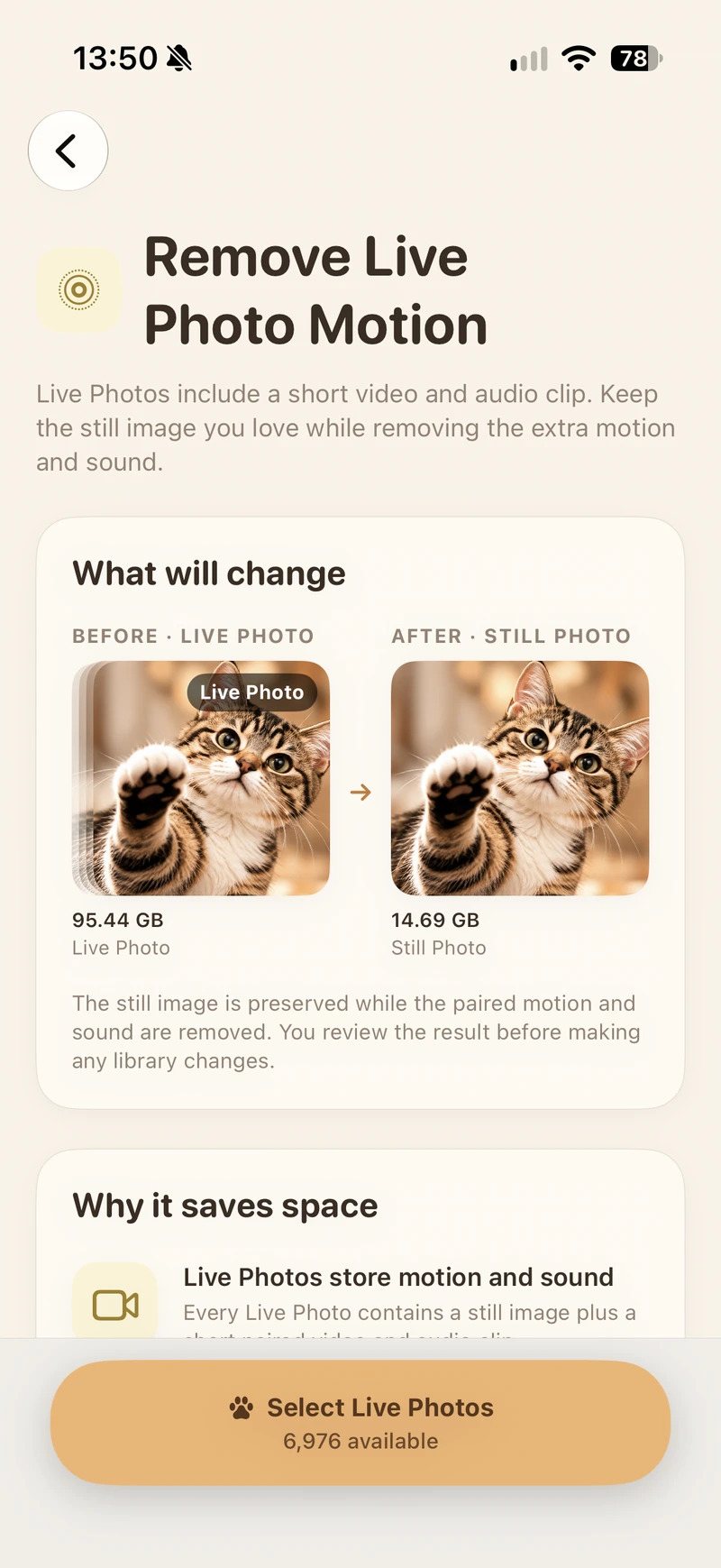
Actual app screenshots. Library counts and savings shown are examples, not guaranteed results.
You choose what to keep and what to remove. Review your selection before confirming a cleanup.
Apple Photos keeps deleted items in Recently Deleted for up to 30 days, unless you permanently delete them earlier. With iCloud Photos, deletions sync across your devices.
Read our privacy draft ↗ Your library. Your choices.
See how a little tidying can change the picture.
Illustrative example, not a savings guarantee. Actual space reclaimed varies. Items in Recently Deleted may continue to use storage until permanently removed.
Your next favorite photo is still out there.